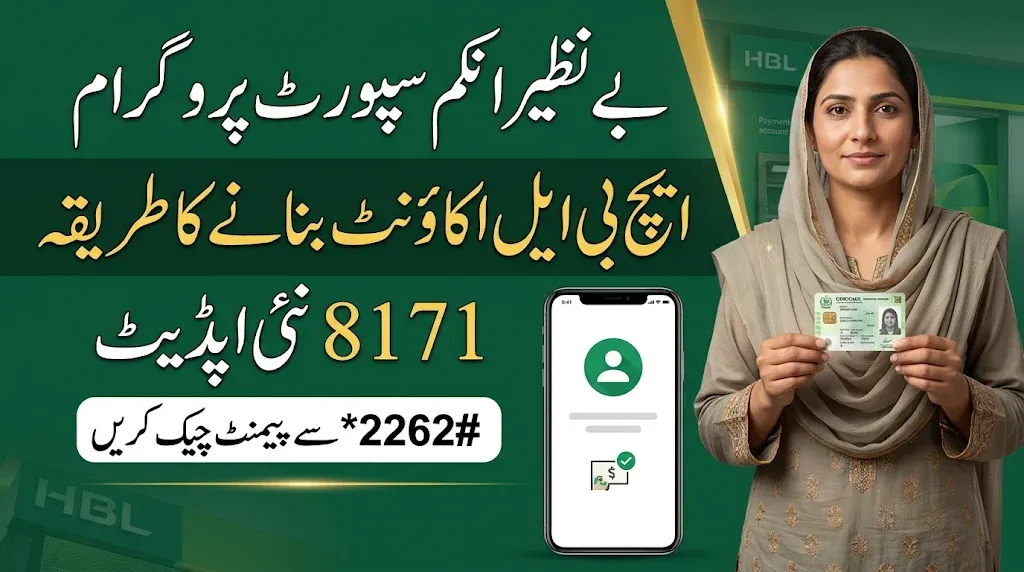
The Benazir Income Support Programme (BISP) has shared important banking information for eligible women who want to create an HBL account and check their available payments through their mobile phones.
According to the provided instructions, beneficiaries can use the *2262# USSD code to access the account registration menu, select HBL and check their payment details.
Women who have received a SIM through the BISP office should carefully follow the registration instructions before using this service.
Read Also: 8171 BISP Kafaalat Payment Update: Latest District-Wise List Released
How to Create an HBL Account for BISP Beneficiaries
If you want to create an HBL account using your mobile SIM, follow the steps below.
Before starting: Make sure your SIM has sufficient mobile balance to use the service.
Step 1: Dial the *2262# Code
Open your mobile phone’s dial pad and dial:
*2262#
Press the call button to open the mobile account menu.
Step 2: Select Option 2
After dialing the code, two options, 1 and 2, will appear on your screen.
Select option 2 and press Yes to continue.
Step 3: Select HBL Bank
In the next menu, options from 1 to 9 will appear.
According to the provided instructions, select option 5 for HBL and press Yes.
Step 4: Enter Your Mobile Number
Now enter the mobile number of the SIM received from the BISP office, as requested by the system.
Make sure you enter the correct number.
Step 5: Enter Your CNIC Number
Enter your 13-digit Computerised National Identity Card (CNIC) number without any mistakes.
Step 6: Create a Four-Digit PIN
Create a secure four-digit PIN code for your HBL account.
Keep this PIN confidential and do not share it with anyone.
Step 7: Confirm Your PIN
Enter the same four-digit PIN again to confirm your account security details.
Step 8: Complete Account Registration
Finally, select option 1 and press Yes to complete the process.
If the registration is successful, you should receive a confirmation message or an on-screen notification.
How to Check BISP Payment Through an HBL Account
After completing the account registration process, beneficiaries can follow these instructions to check their available payment.
- Open your mobile phone’s dial pad.
- Dial *2262# again.
- Select option 1 and press Yes.
- Enter your four-digit PIN code when requested.
- Follow the remaining instructions displayed on your screen.
Your available payment details should appear on the screen if the service successfully retrieves your account information.
Read Also: PM Youth Chromebook Scheme 2026: When Will Students Receive Their Chromebooks?
HBL Account Registration and Payment Check – Quick Guide
Here is a short summary of the complete process.
| Account service | Instructions |
|---|---|
| USSD Code | *2262# |
| HBL Selection | Option 5 |
| CNIC Requirement | 13 digits |
| Account PIN | 4 digits |
| PIN Confirmation | Enter again |
| Registration Confirmation | Option 1 |
| Payment Check | Dial *2262# |
| Payment Menu | Option 1 |
Important: The option numbers and registration sequence above are based on the supplied instructions. Confirm that the menu is currently valid with HBL or BISP before entering personal information.
Important Safety Instructions for BISP Beneficiaries
Women receiving financial assistance through BISP should take the following precautions when creating or using a mobile banking account.
- Never share your four-digit PIN with another person.
- Do not hand over your original CNIC or SIM to unknown individuals.
- Never pay an agent to create an account or check your payment.
- Always use your own registered mobile SIM.
- Do not share verification codes or banking messages with strangers.
- Contact an authorised BISP office if you face a registration problem.
Your account details and PIN are private. Keeping them secure can help protect your money from unauthorised access.
Read Also:8171 Benazir Kafaalat July-September Payments: Important Update for Sindh Women
What to Do If Your HBL Account Is Not Created?
Sometimes, beneficiaries may experience problems while registering their accounts.
If your account is not created, consider the following:
- Check whether your SIM is active.
- Make sure your mobile phone has sufficient balance.
- Enter your CNIC number correctly.
- Carefully follow the instructions shown on your mobile screen.
- If the problem continues, contact the relevant BISP office or HBL support.
You can also contact the BISP helpline at 0800-26477 to seek guidance about programme-related issues. Verify the current helpline details through official BISP channels.
Read Also: 8171 Status Wallet Inactive: How to Solve This Problem?
Frequently Asked Questions (FAQs)
1. Which code is used to create an HBL account?
According to the provided instructions, beneficiaries should dial *2262# to access the mobile account menu.
2. Which option should beneficiaries select for HBL?
The supplied instructions mention selecting option 5 for HBL. Always confirm the bank name displayed on your screen before proceeding.
3. How many digits are required for the account PIN?
You need to create a four-digit PIN and enter it again for confirmation.
4. How can I check my available HBL payment?
Dial *2262#, select option 1 and enter your four-digit PIN when requested. Follow the displayed instructions to view your available payment details.
5. Is mobile balance required to create an account?
According to the supplied instructions, your SIM should have sufficient balance before starting the registration process. Any applicable network charges may depend on the service provider.
6. What should I do if I forget my PIN?
Contact the relevant bank’s official customer support for assistance. Never share your existing PIN with anyone claiming to recover it.
Final Words
The provided HBL account registration method through *2262# explains how BISP beneficiaries can select HBL, enter their CNIC details, create a four-digit PIN and check their available payment.
Eligible women should carefully follow the instructions and keep their personal banking information safe.
If you face any difficulty during registration or payment checking, contact the relevant BISP office or official bank support for assistance.
Share this information with other eligible women so they can learn about the account registration process and payment-checking instructions.