
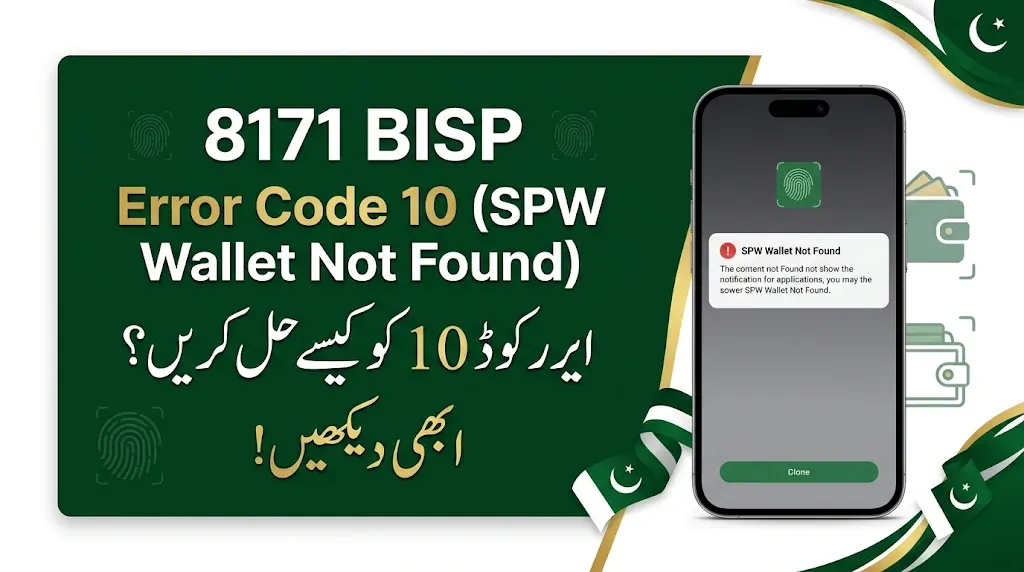
Are you facing 8171 BISP Error Code 10 (SPW Wallet Not Found) while receiving your Benazir Income Support Programme (BISP) payment? Many beneficiaries may experience this issue when their payment is being processed. This error can prevent the system from finding the beneficiary’s SPW Wallet account, causing difficulties in receiving financial assistance.
If you are also seeing the SPW Wallet Not Found message, there is no need to worry. You can follow a few simple steps to understand and address this problem. In this guide, we will explain how to check your 8171 status, complete Simple Bio verification, and contact the relevant helpline for further assistance.
Read Also: 8171 Web Portal Balance Check CNIC 13500 and 14500 October Payment Status
What Is 8171 BISP Error Code 10 (SPW Wallet Not Found)?
8171 BISP Error Code 10 appears with the message SPW Wallet Not Found. It indicates that the payment system cannot find the relevant wallet account associated with the beneficiary.
Due to this issue, the payment process may not be completed successfully. The beneficiary may need to check their registration status and complete the required verification process.
The solution depends on whether the beneficiary is registered through the Dynamic Survey and whether the relevant wallet account is available in the system.
اگر آپ کو بے نظیر انکم سپورٹ پروگرام کی رقم وصول کرتے وقت 8171 BISP Error Code 10 (SPW Wallet Not Found) کا مسئلہ پیش آ رہا ہے تو پریشان نہ ہوں۔ اس خرابی کی وجہ سے مستحق خواتین کا والٹ اکاؤنٹ ادائیگی کے نظام میں ظاہر نہیں ہوتا، جس کے باعث رقم وصول کرنے کا عمل رک سکتا ہے۔ اس مسئلے کو حل کرنے کے لیے سب سے پہلے 8171 پر اپنا اسٹیٹس چیک کریں۔ اگر آپ ڈائینامک رجسٹریشن کے تحت رجسٹرڈ ہیں تو متعلقہ بینک میں جا کر سادہ بائیومیٹرک کروائیں۔ اگر اس کے باوجود مسئلہ حل نہ ہو تو دیے گئے رابطہ نمبر پر کال کرکے اپنا اکاؤنٹ کھلوانے اور والٹ کی خرابی دور کرنے کے لیے رہنمائی حاصل کریں۔ اس مضمون میں ہم آپ کو اس مسئلے کی وجوہات اور اسے حل کرنے کا آسان طریقہ بتائیں گے تاکہ آپ کی ادائیگی کا عمل آگے بڑھ سکے۔
Why Does the SPW Wallet Not Found Error Occur?
There can be different reasons why beneficiaries experience this error. Some possible reasons include:
- The beneficiary’s wallet account is not available in the payment system.
- The required account-opening process has not been completed.
- Biometric verification may still be required.
- The beneficiary’s registration status needs to be checked.
It is important to identify the beneficiary’s current status before taking further action.
Read Also: BISP 8171 Web Portal November 2026: Check BISP 14500 Payment by CNIC Online
How to Fix 8171 BISP Error Code 10?
If you are facing the SPW Wallet Not Found problem, follow these steps carefully.
1. Check Your BISP Status Through 8171
The first step is to check the beneficiary’s status through the 8171 service.
Check whether the beneficiary is registered through the Dynamic Registration process. This information will help you understand which action is required to resolve the wallet issue.
Make sure the beneficiary’s registration information is correct before visiting the bank.
2. Complete Simple Bio Verification at the Bank
If the beneficiary is dynamically registered, visit the relevant bank and request Simple Bio (Simple Biometric Verification).
Explain to the bank representative that you are facing the SPW Wallet Not Found error while processing your BISP payment.
The bank staff can guide you through the required biometric verification and account-related procedure.
Remember to take your original CNIC with you when visiting the bank.
3. Contact the Helpline to Open Your Account
If the beneficiary is facing the same problem even after checking their status, contact the relevant helpline for assistance.
Contact Number: 021-111-427-111
When you call, explain that you are receiving Error Code 10 (SPW Wallet Not Found).
Tell the representative that your wallet account is not appearing in the system. Request them to help open the relevant account and guide you through the remaining process.
Make sure you explain the problem clearly so the representative can understand your situation.
Read Also: 8171 PMT Score Check 2026 by CNIC: Check Your BISP Eligibility Status
8171 BISP Error Code 10 Solution – Quick Guide
Here is a simple table explaining what you should do when this error appears.
| Problem or Situation | Recommended Action |
|---|---|
| SPW Wallet Not Found error | Check beneficiary status through 8171 |
| Beneficiary is dynamically registered | Visit the relevant bank |
| Biometric verification is required | Complete Simple Bio |
| Wallet account is still unavailable | Contact the relevant helpline |
| Account-opening issue | Request assistance with opening the account |
What Documents Should You Take to the Bank?
Before visiting the bank, make sure you have the necessary information and documents.
You should keep the following items ready:
- Original Computerized National Identity Card (CNIC).
- Beneficiary’s BISP registration information.
- Details of the SPW Wallet Not Found error.
- Any relevant payment information.
Taking these details with you can help bank staff understand your problem more easily.
Important Instructions for BISP Beneficiaries
Beneficiaries should always follow the proper procedure when dealing with BISP payment and wallet issues.
Keep these important points in mind:
- Always check your registration status through the 8171 service.
- Visit the relevant bank for Simple Bio verification.
- Explain the complete error message to bank staff.
- Contact the relevant helpline if the issue remains unresolved.
- Never share your OTP or confidential information with unauthorized individuals.
- Avoid agents who demand money to fix your BISP wallet account.
Always use authorized channels for assistance and protect your personal information.
Read Also: BISP 8171 Benazir Kafaalat Payment Update 2026: Next Installment Coming Soon
Frequently Asked Questions About BISP Error Code 10
1. What does SPW Wallet Not Found mean in BISP?
It means that the payment system cannot find the beneficiary’s relevant SPW Wallet account. As a result, the payment process may be interrupted.
2. How can I check my status for BISP Error Code 10?
You should check the beneficiary’s registration status through the 8171 service before taking further action.
3. What should I do if I am dynamically registered?
If the beneficiary is dynamically registered, visit the relevant bank and request Simple Bio verification.
4. What is Simple Bio verification?
Simple Bio refers to simple biometric verification. It is a verification process that beneficiaries may be asked to complete at the relevant bank.
5. Which number should I call for the SPW Wallet Not Found problem?
The provided contact number is 021-111-427-111. Contact the relevant service and explain that you are facing BISP Error Code 10.
6. Can I resolve the wallet issue without visiting the bank?
The required procedure depends on the beneficiary’s registration and wallet status. If Simple Bio is required, you will need to visit the relevant bank.
Final Words
The 8171 BISP Error Code 10 (SPW Wallet Not Found) problem can create difficulties for beneficiaries who want to receive their financial assistance. However, following the correct steps can help you understand and address this issue.
First, check the beneficiary’s status through 8171. If the beneficiary is dynamically registered, visit the relevant bank and complete Simple Bio verification. If the wallet account is still not available, contact the relevant helpline and request assistance with opening the account.
By following these instructions, beneficiaries can take the necessary steps to resolve their SPW Wallet Not Found issue and continue with the BISP payment process.



2 thoughts on “8171 BISP Error Code 10 (SPW Wallet Not Found) – Complete Solution Guide”