
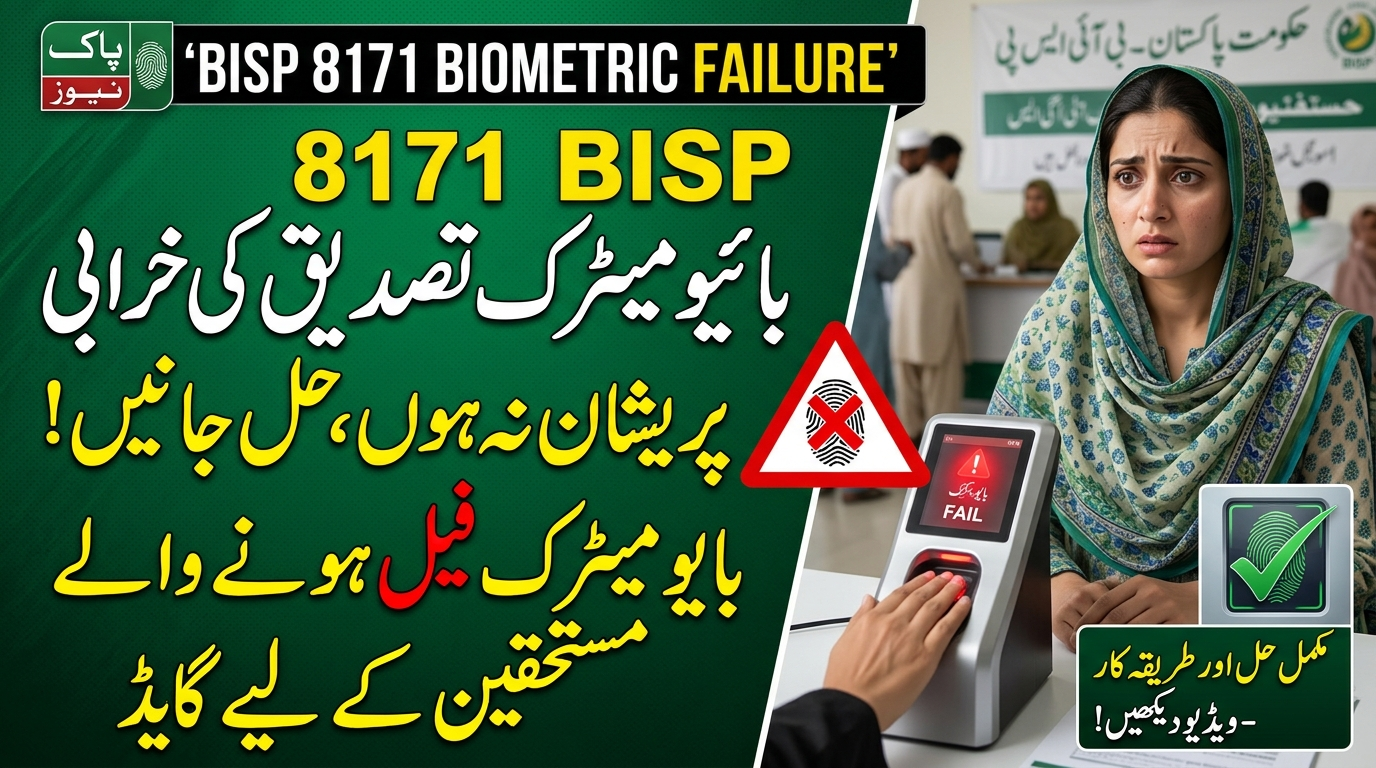
Are you trying to collect your BISP 8171 payment but your fingerprint verification keeps failing? You are not alone. Some beneficiaries face problems when the payment system cannot confirm their identity, even when they believe their records are correct.
A failed fingerprint scan does not automatically mean that your BISP eligibility has ended. The issue could be related to your fingerprints, identity documents, the payment system, or your current payment status.
The good news is that there are practical steps you can take to find the reason and seek a solution.
In this guide, you will learn why BISP biometric verification fails, how to check your payment status, what to do if your thumb is not recognized, and where to report a payment problem.
What Is BISP 8171 Biometric Verification?
Biometric verification is an identity-checking process that uses fingerprints to help confirm that the person collecting a payment is the registered beneficiary.
The Benazir Income Support Programme (BISP) uses biometric verification as part of its payment system. When a beneficiary visits a designated payment point, the system checks their identity before allowing the transaction to proceed.
This process helps protect beneficiaries and reduce fraudulent payments. However, it can also create difficulties for people whose fingerprints are difficult to recognize or whose verification attempts fail.
If your payment has been blocked during verification, the first step is to identify the actual reason instead of assuming that you have been removed from the programme.
Read Also: Punjab Mazdoor Card 2026: Eligibility, Benefits and Registration Process
Why Does BISP 8171 Fingerprint Verification Fail?
There are several possible reasons for a failed biometric check. Understanding the cause can help you avoid unnecessary visits and delays.
1. Your Fingerprint Is Not Being Recognized
One common problem occurs when the scanner cannot read your fingerprint properly. Dry skin, worn fingerprint ridges, minor injuries, or poor-quality scans can make recognition difficult.
Older beneficiaries and people who regularly perform physical work may experience this problem more often.
What to do: Clean your hands, dry them properly, and ask the payment agent to try again using the approved verification procedure. If repeated attempts fail, report the issue rather than continuing to retry without guidance.
2. Your CNIC Has Expired
An expired Computerized National Identity Card (CNIC) may create an identity verification problem.
Check the validity of your CNIC before making another trip to the payment centre. If it has expired, contact NADRA about renewal and ask BISP whether any additional action is required after your identity record is updated.
3. Your Identity Information Needs Updating
Sometimes, a beneficiary’s identity information may need correction or updating. If you have recently renewed your CNIC or changed personal information, ask the relevant office whether the updated record is available for verification.
Do not assume that every failed scan means you must update all ten fingerprints. First, ask the payment agent or BISP office to identify the problem.
4. The Biometric Machine Is Not Working Properly
A failed scan does not always mean that your fingerprints are incorrect.
The scanner may be dirty, damaged, or experiencing a technical or connectivity problem. If other customers are also facing difficulties, the equipment could be responsible.
What to do: Ask the authorised agent to check the equipment. If the problem continues, contact the designated payment provider or BISP office and ask whether another authorised payment location is available.
Read Also: BISP New Qist 2026: Latest 8171 Update and Payment Status Check
5. Your Payment Is Not Ready for Collection
Your eligibility status and your payment status are not necessarily the same thing.
You may be registered with BISP but still have to wait for your payment to become available. A verification problem and a payment-release delay are two different issues.
What to do: Check your current status through the official 8171 service or visit a BISP Tehsil Office if the information is unclear.
6. Your BISP Record Requires Further Verification
In some cases, a beneficiary may need to complete an additional verification step or update their household information.
If the office tells you that your record requires review, ask exactly which document or process is pending. Do not pay an agent who promises to restore your eligibility through unofficial means.
Read Also: BISP 8171 Payment Verification 2026 – Check CNIC & Biometric Status
How to Fix the BISP 8171 Biometric Verification Problem
Follow these steps to identify the issue and find the appropriate solution.
Step 1: Check Your BISP Payment Status
Before travelling to a payment centre or NADRA office, confirm whether a payment has been issued for you.
Use the official 8171 service and follow its instructions to check your eligibility or payment information. If an SMS check is available for your case, enter your 13-digit CNIC number without dashes as instructed.
Keep your original CNIC available when checking your details.
Pay attention to the difference between these situations:
- Your household is eligible, but no payment is currently available.
- Your payment has been issued, but biometric verification fails.
- Your record requires further verification.
- Your information does not show a clear result.
Each situation may require a different solution.
Read Also: Today 20 October Result BISP 8171 Check Online By CNIC 2026 Payment Verification
Step 2: Ask the Payment Agent Why Verification Failed
If your payment is available but the transaction does not proceed, ask the authorised agent to explain the error.
Find out whether the issue is related to the fingerprint scan, the machine, your identity record, or payment availability.
This simple step can save you from visiting multiple offices without knowing what needs to be corrected.
Step 3: Try the Approved Fingerprint Procedure Again
If the problem appears to be with the scan, make sure your hands are clean and dry.
Place your finger correctly on the scanner and follow the agent’s instructions. If one attempt fails, ask whether another finger can be checked under the authorised procedure.
Avoid repeatedly pressing your finger against the machine if the scanner continues to reject it.
Step 4: Visit NADRA if Your Fingerprints Cannot Be Verified
If your fingerprints fail repeatedly at an authorised payment location, ask whether your NADRA biometric record needs to be updated.
Take your original CNIC and explain that you are experiencing a BISP payment verification problem.
NADRA staff can advise you about the appropriate service, required documents, applicable fee, and processing time.
After any update, confirm with BISP or the payment provider when you should attempt verification again. Do not rely on a fixed waiting period unless the relevant office confirms it.
Step 5: Contact Your BISP Tehsil Office
If the issue continues after you have checked your fingerprint and identity records, visit your nearest BISP Tehsil Office.
Explain the problem clearly and provide any payment notification, transaction slip, or error information you have.
Ask the staff to check your record and explain the next step. If fingerprint verification is not possible because of age, a disability, or another physical limitation, specifically ask whether an approved alternative verification or payment procedure is available for your case.
Alternative arrangements depend on the applicable BISP policy and your circumstances. They should not be assumed to be automatically available at every payment centre.
Step 6: Follow Up on Your Complaint
If your problem remains unresolved, ask the office how to register a formal complaint and obtain a reference number, if available.
Keep a note of the date of your visit and any instructions you receive.
You can also contact the BISP helpline at 0800-26477 for assistance with complaints. Explain whether the issue concerns fingerprint verification, a missing payment, an incorrect record, or an unauthorised deduction.
BISP 8171 Biometric Problems and Their Solutions
The following table summarises common problems and the appropriate first step.
| Problem | Possible reason | What you should do |
|---|---|---|
| Thumb is not recognised | Fingerprint scan failure | Clean and dry your hands and request another approved scan |
| Fingerprints fail repeatedly | Worn fingerprints or record-related issue | Ask NADRA whether a biometric update is needed |
| Payment is not available | Payment has not been released or another condition is pending | Check your latest payment status |
| CNIC has expired | Identity document needs renewal | Contact NADRA about renewal |
| Machine rejects fingerprints | Equipment or connectivity issue | Ask the authorised agent to check the machine |
| Payment remains blocked | Verification or record issue | Contact your BISP Tehsil Office |
| Fingerprints cannot be scanned because of a disability | Standard verification may not be possible | Ask BISP about an approved alternative procedure |
| Payment is lower than expected | Possible unauthorised deduction or payment discrepancy | Keep your receipt and lodge a complaint |
Can You Receive BISP Payment If Your Fingerprints Do Not Work?
A fingerprint problem does not necessarily mean that you have lost your eligibility for financial assistance.
BISP has documented arrangements for handling biometric verification difficulties, including exceptions for certain beneficiaries whose fingerprints cannot be verified. However, the procedure available to you depends on the applicable policy and your individual circumstances.
If your fingerprints cannot be recognised, do not assume that you must permanently stop receiving payments.
Instead, take these steps:
- Confirm that your payment is available.
- Ask the payment agent to identify the verification failure.
- Visit NADRA if your identity or biometric record needs attention.
- Contact your BISP Tehsil Office if the problem continues.
- Ask whether an authorised alternative payment method applies to your case.
Always wait for official instructions before travelling to a different payment location or paying for an identity-related service.
How to Check BISP 8171 Payment Status in 2026
You can use the available official channels to find out whether your payment is ready.
Check Through SMS
If the SMS service is available for your case, send your 13-digit CNIC number without dashes to 8171 and follow the instructions in the reply.
Use the official BISP number. Be cautious of messages from other numbers claiming that your payment is ready or asking you to pay a processing fee.
Check Through the Online Service
Use the official BISP 8171 online service, where available, to check your eligibility or payment information.
Enter your CNIC only on a verified government website. Avoid websites that ask for unnecessary personal details, banking information, passwords, or payment in exchange for showing your status.
Visit a BISP Tehsil Office
If the online service or SMS reply does not explain your situation, visit your nearest BISP Tehsil Office.
Take your original CNIC and any relevant payment messages or receipts. Ask the staff to clarify your current eligibility, payment status, and any outstanding verification requirements.
Important Safety Tips for BISP Beneficiaries
People waiting for financial assistance can be vulnerable to scams. Keep these precautions in mind whenever you check your payment or visit a collection centre.
- Never pay for BISP registration or surveys. BISP has stated that these services are free.
- Trust official payment messages. BISP identifies 8171 as its official messaging number.
- Do not share your OTP or passwords. Never give confidential account information to an unknown caller or agent.
- Do not pay anyone who guarantees eligibility. No private individual can guarantee that your payment will be approved.
- Check deductions immediately. If you receive less than the amount due, keep your receipt and report the issue.
- Keep your CNIC safe. Do not leave your original identity card with an unauthorised person.
- Ask for proof of payment. Keep any transaction receipt or confirmation slip provided to you.
If someone demands money to release your BISP payment, report the incident through an official complaint channel.
Frequently Asked Questions
1. Why is my BISP 8171 biometric verification failing?
Your fingerprint may not be scanning correctly, the payment equipment may have a technical issue, or your identity record may need attention. Ask the payment agent to identify the error before deciding whether to visit NADRA.
2. Does a failed fingerprint scan mean my BISP eligibility has ended?
No. A failed biometric scan does not automatically mean that you have lost eligibility. Check your current status and contact your BISP Tehsil Office if the payment remains blocked.
3. Should I visit NADRA if my thumb is not recognised?
If repeated attempts fail at an authorised payment location, ask whether your NADRA biometric record needs updating. NADRA can explain the applicable procedure and fee.
4. How long does a NADRA biometric update take to appear in the BISP system?
The processing and system-update time can vary. Ask NADRA when your update will be completed and confirm with BISP or the payment provider when to try again. Do not assume that every case will be resolved within 24 or 48 hours.
5. Can I collect my BISP payment without fingerprint verification?
An alternative may be available in certain circumstances under the applicable BISP procedures. Contact your BISP Tehsil Office to find out whether you qualify and what documents or approvals are required.
6. What should I do if my payment is approved but I cannot withdraw it?
Ask the authorised payment agent whether the problem concerns verification or payment availability. If the issue remains unresolved, contact BISP and request guidance on the next step.
7. Is there a fee for BISP payment collection?
Beneficiaries should not pay an unauthorised person to release their money. If someone demands a deduction or unofficial payment, keep any evidence available and report the issue to BISP. Fees for separate NADRA identity services may apply according to the official fee schedule.
8. What is the official BISP complaint number?
BISP lists 0800-26477 as its helpline for complaints and assistance. Explain the nature of your problem and follow the instructions provided by the official representative.
Final Words
A BISP 8171 biometric verification problem can be frustrating, especially when your family is depending on the payment for essential expenses. However, a failed fingerprint scan does not automatically mean that your financial assistance has been cancelled.
Start by checking your payment status, ask the authorised agent why the scan failed, and contact NADRA if your identity record needs attention. If the issue continues, visit your BISP Tehsil Office and ask about the correct procedure for resolving your case.
Most importantly, protect your CNIC information, avoid unofficial agents, and never pay anyone who promises to release your payment.





3 thoughts on “BISP 8171 Biometric Verification Problem: How to Get Your Payment”