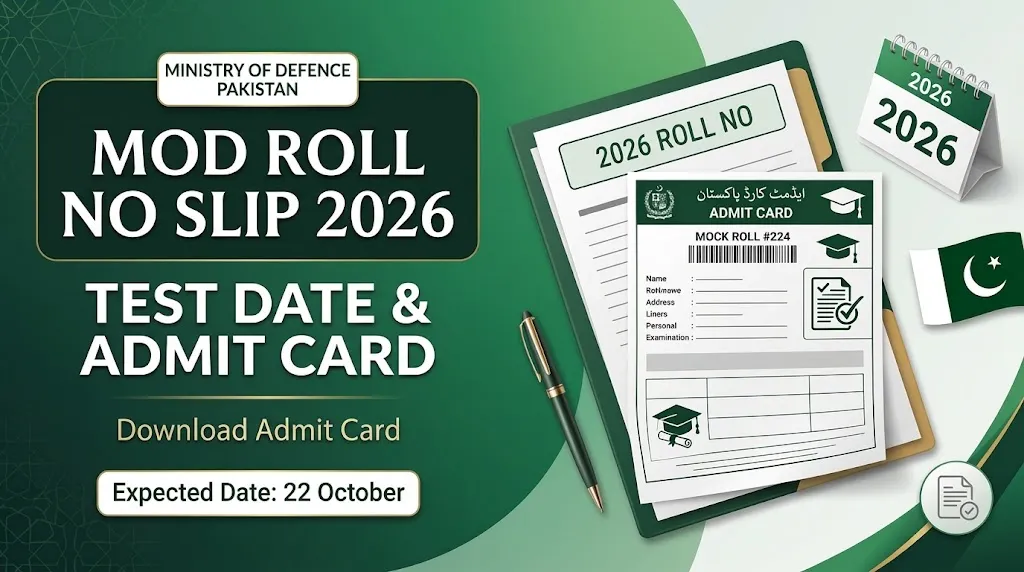
Candidates who applied for Ministry of Defence (MOD) jobs in 2026 can check the latest information about their roll number slips, recruitment tests, and examination schedules through the recruitment portal. The MOD Roll No Slip 2026 is an important document for applicants who have registered for different positions in the department.
According to the available recruitment information, candidates should check their application status and test details online. The expected test date mentioned in the supplied information is 22 October 2026. However, applicants should confirm the final date through their individual roll number slips or an official recruitment announcement before making travel arrangements.
The roll number slip provides important details, including the examination date, test center, reporting time, and candidate information. Applicants should download and print their slips as soon as they become available.
Read Also : How to Apply for Jobs in Germany in 2026: Complete Guide for International Applicants
MOD Roll No Slip 2026 – Latest Details
The following table summarizes the main information about the Ministry of Defence recruitment test.
| Information | Details |
|---|---|
| Organization | Ministry of Defence (MOD) |
| Recruitment Year | 2026 |
| Roll Number Slip | MOD Roll No Slip 2026 |
| Expected Test Date | 22 October 2026, subject to official confirmation |
| Test Type | Written recruitment test |
| Online Portal | recruitments.com.pk |
| Login Information | CNIC and required account credentials |
| Test Center | As mentioned on the roll number slip |
| Reporting Time | Check your individual slip |
| Posted By | https://pak-all-job.com/ |
Candidates should remember that test dates and examination arrangements may differ by post or recruitment schedule. Always follow the instructions issued for your particular application.
How to Download MOD Roll No Slip 2026 Online
Applicants can check the recruitment portal to find out whether their admit cards are available. Follow these steps to download your Ministry of Defence roll number slip.
- Open the Ministry of Defence recruitment portal at recruitments.com.pk.
- Look for the roll number slip, admit card, or candidate login section.
- Enter your registered CNIC number in the required format.
- Provide your password or other login details if requested.
- Open your application or examination details.
- Check whether your roll number slip is available.
- Download the slip and save a copy on your phone or computer.
- Print the slip and check all the information before the test.
If the portal does not display your slip, check your application status and try again later. Do not assume that your application has been rejected simply because the admit card is not yet visible.
MOD Login Portal for Roll Number Slip
Candidates should use the recruitment portal specified in their application or official recruitment notice to access their examination details. The portal may require a CNIC number, password, or other registered information to verify the applicant.
After logging in, review the available sections for your application status, examination schedule, and roll number slip. If you cannot access your account, check that your CNIC and password are correct.
Applicants should never share their account password or sensitive personal information with unofficial individuals or websites. If login problems continue, contact the recruitment authority through its verified support channels.
MOD Test Date 2026 – What Candidates Should Know
The expected Ministry of Defence recruitment test date provided in the available information is 22 October 2026. Candidates should not treat this date as final unless it is confirmed by the recruitment authority.
Your individual roll number slip is particularly important because it may contain the exact date, reporting time, examination venue, and additional instructions for your post.
Before leaving for the examination center, make sure you have checked:
- Your confirmed test date.
- The full address of your examination center.
- Your reporting time and examination session.
- The required identification documents.
- Any instructions concerning stationery or prohibited items.
Candidates should arrive before the reporting time mentioned on their slips. Late arrival may lead to difficulties entering the examination center.
Posts Covered Under MOD Recruitment 2026
The recruitment information provided refers to several positions ranging from BPS-01 to BPS-17. Candidates should check their application records to confirm the exact post for which they applied.
| Post or Category | What to Check |
|---|---|
| Assistant Director | Test schedule and post-specific instructions |
| Deputy Director | Examination details and reporting time |
| Traffic Analyst | Relevant test information |
| Sub Divisional Officer | Roll number slip and examination venue |
| Clerical Posts | Test date and required documents |
| Sub-Inspector | Examination schedule and eligibility details |
| Support Staff | Instructions relevant to the applied position |
The list above reflects the positions mentioned in the supplied recruitment information. It does not confirm that every post has the same examination date or that every applicant has been shortlisted.
Information Printed on the MOD Admit Card
After downloading your roll number slip, check every detail carefully. Any error in your personal information or examination details should be addressed before the test.
Your slip may contain the following information:
- Candidate’s name
- CNIC number
- Roll number
- Applied post
- Examination date
- Reporting time
- Test center name and address
- Photograph or other identification details, where applicable
- Examination instructions
If any information is missing or incorrect, contact the relevant recruitment support team before the examination date. Keep your downloaded copy available until the recruitment process is complete.
Documents Required for the MOD Recruitment Test
Candidates should prepare their documents in advance to avoid last-minute problems.
| Document | Recommendation |
|---|---|
| Printed roll number slip | Carry a clear, readable copy |
| Original CNIC | Bring a valid original identification document |
| Additional documents | Carry only those requested in the official instructions |
| Pen or stationery | Bring only if permitted or required |
| Application details | Keep them available for reference |
A mobile phone screenshot may not be accepted in place of a printed slip. Follow the instructions on your admit card and bring the required documents in their specified form.
How to Prepare for the MOD Written Test
Preparation should depend on the post you applied for and the examination pattern announced by the recruitment authority. Candidates should review the relevant syllabus and any officially provided test instructions.
The following preparation steps can help you organize your study time:
1. Review the relevant syllabus
Start with the syllabus or test pattern available for your specific position. Avoid relying on an unrelated post’s syllabus.
2. Practice past papers
If reliable past papers are available, use them to understand question formats and improve your speed. Remember that previous papers do not guarantee the questions that will appear in the next test.
3. Improve time management
Practice answering questions within a fixed time. This can help you manage the examination more effectively.
4. Revise important topics
Set aside time to review the subjects included in the relevant syllabus. Focus on areas where you need additional practice.
5. Prepare for test day
Print your roll number slip, check your travel arrangements, and keep your identification document ready before leaving home.
What to Do If Your MOD Roll No Slip Is Not Available
Some candidates may not immediately find their admit cards on the portal. If this happens, take the following steps.
- Confirm that you are using the correct recruitment portal.
- Check your application status and registered account details.
- Make sure you entered your CNIC correctly.
- Check for a new recruitment notice or examination schedule.
- Try accessing the portal again later if it is temporarily unavailable.
- Contact the recruitment authority through verified support details if the problem remains unresolved.
Do not submit another application or pay an additional fee solely because your roll number slip is unavailable. First, verify your existing application status and follow the official instructions.
Important Instructions for Candidates
Candidates should take the following precautions before attending the recruitment test:
- Download the correct roll number slip for your application.
- Confirm the examination date and reporting time.
- Check the test center address before traveling.
- Carry your printed admit card and original valid CNIC.
- Follow the instructions provided by the examination authority.
- Avoid relying on unverified social media posts for schedule changes.
- Keep your login information private.
- Check official announcements for any changes to the examination arrangements.
These precautions can help applicants avoid common problems on examination day.
Frequently Asked Questions
1. How can I download MOD Roll No Slip 2026?
Visit the recruitment portal specified in the official notice, log in using your registered details, and look for the roll number slip or admit card section. Download and print your slip when it becomes available.
2. What is the MOD test date for 2026?
The date mentioned in the available information is 22 October 2026. Candidates should confirm the date through their individual roll number slips or an official announcement before attending the examination.
3. Which website should I use to check my MOD roll number slip?
The supplied recruitment information identifies recruitments.com.pk as the portal for checking roll number slips. Confirm that this is the correct portal for your particular recruitment advertisement before entering your personal information.
4. Can I check my MOD admit card using my CNIC?
The recruitment portal may allow candidates to access their information using a registered CNIC and other required login credentials. Follow the login instructions displayed on the portal.
5. What should I bring to the MOD test center?
Candidates should bring their printed roll number slip and original valid CNIC. Check the admit card for any additional document or examination requirements.
6. What should I do if I forget my MOD login password?
Use the portal’s available account recovery option, if provided. If you cannot recover your account, contact the recruitment authority through verified support channels.
7. Is the MOD roll number slip compulsory?
Candidates should follow the examination instructions and bring the required admit card or roll number slip. Failure to produce mandatory documents may prevent entry into the examination center.
8. What if my test date or center changes?
Check the latest official recruitment announcement and your candidate account for updated information. Follow the revised instructions issued by the recruitment authority.
Final Words
The MOD Roll No Slip 2026 is an important document for candidates preparing to appear in the Ministry of Defence recruitment test. Applicants should check the relevant recruitment portal, download their admit cards when available, and carefully review their examination details.
Although 22 October 2026 is mentioned as the expected test date in the available information, candidates should confirm the final schedule through an official announcement or their individual roll number slips. Preparing the required documents and checking the examination instructions in advance can help make test day easier and more organized.