
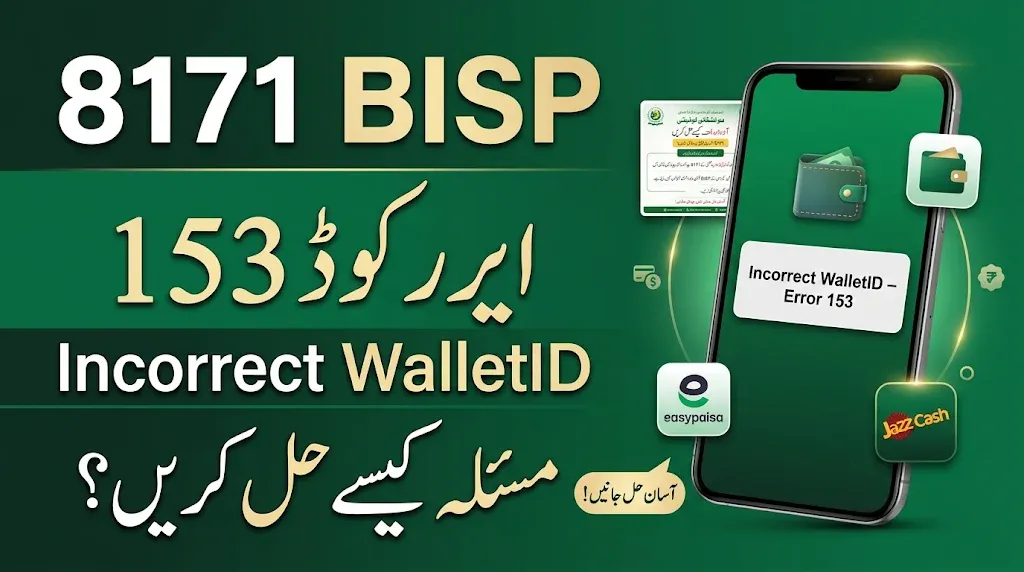
Are you facing BISP Error Code 153 – Incorrect WalletID while trying to receive your Benazir Income Support Programme (BISP) payment? This error can be frustrating, especially when you are expecting your financial assistance. The message indicates that the wallet ID being used in the payment process is not being accepted by the system. One possible issue reported in the information provided for this error is an existing Easypaisa or JazzCash account. In this guide, we explain what you can check and what steps to take before making any changes to your existing account.
Read Also: 8171 BISP Error Code 99 Solution – New SIM Tagging and Cash Withdrawal Guide
What Is BISP Error Code 153?
BISP Error Code 153 appears with the message “Incorrect WalletID.” In simple words, it means that the wallet ID entered or associated with the payment is not being accepted during the transaction.
This message alone does not confirm the exact reason for the problem. It may require checking the beneficiary’s wallet details and payment record through the relevant BISP office or authorized payment service.
Read Also: PM Youth Loan Scheme 2026: Maximum Loan Increased to Rs. 25 Million
Possible Reason for Error Code 153
According to the information provided for this issue, one possible reason may be that an Easypaisa or JazzCash account is already open under the beneficiary’s details.
However, this should not be treated as a confirmed cause for every case. The error message itself does not prove that an existing mobile wallet is responsible.
Before taking action, ask the BISP office to check your payment and wallet information.
اگر آپ بے نظیر انکم سپورٹ پروگرام (BISP) کی رقم وصول کرتے وقت Error Code 153 (Incorrect WalletID) کا سامنا کر رہے ہیں تو پریشان نہ ہوں۔ یہ ایرر اس وقت ظاہر ہوتا ہے جب ادائیگی کے دوران سسٹم آپ کی والٹ آئی ڈی کو قبول نہیں کرتا۔ فراہم کردہ معلومات کے مطابق، اگر آپ کے نام پر پہلے سے Easypaisa یا JazzCash اکاؤنٹ موجود ہے تو یہ ایک ممکنہ وجہ ہو سکتی ہے۔ اس مسئلے کے حل کے لیے سب سے پہلے اپنے موجودہ اکاؤنٹ کی تفصیلات چیک کریں اور قریبی BISP دفتر سے تصدیق کروائیں کہ آیا اس اکاؤنٹ کی وجہ سے ادائیگی میں رکاوٹ آ رہی ہے۔ یاد رکھیں کہ BISP کی تصدیق کے بغیر اپنا کوئی بھی مالی اکاؤنٹ بند نہ کروائیں۔ اس آرٹیکل میں ہم آپ کو Error Code 153 کی ممکنہ وجہ اور اس مسئلے کے حل کے بارے میں آسان الفاظ میں بتائیں گے۔
How to Resolve BISP Error Code 153
If you receive the Incorrect WalletID error, follow these steps carefully:
1. Check Your Existing Easypaisa or JazzCash Account
First, check whether you already have an Easypaisa or JazzCash account registered using your own CNIC or mobile number.
Make sure you know which account is registered and whether it is active.
2. Contact the BISP Office
Visit your nearest BISP office and explain that you are receiving Error Code 153 (Incorrect WalletID).
Ask the staff to check your beneficiary record and confirm whether an existing Easypaisa or JazzCash account is causing a problem with your payment.
3. Confirm Before Closing Any Account
The suggested solution for this error is to close an existing Easypaisa or JazzCash account if one is open. However, do not close your account without first getting confirmation from BISP and the relevant wallet provider.
Ask which account, if any, needs to be closed and whether closing it will affect your other transactions or services. Never share your PIN, password, or OTP with anyone.
4. Recheck Your Payment Status
After receiving guidance from the relevant office, ask how and when to check your payment status again. Follow the instructions provided by the authorized BISP staff.
Read Also: 8171 BISP Error Code 10 (SPW Wallet Not Found) – Complete Solution Guide
BISP Error Code 153: Quick Information Table
| Details | Information |
|---|---|
| Programme | Benazir Income Support Programme |
| Error Code | 153 |
| Error Message | Incorrect WalletID |
| Possible Issue | Existing Easypaisa or JazzCash account |
| First Step | Check your registered wallet details |
| Where to Get Help | Nearest BISP office |
| Important Advice | Confirm before closing any account |
Important Things to Remember
If you are facing this error, keep the following points in mind:
- Use your own original CNIC and registered mobile number when checking account details.
- Do not give your CNIC, OTP, PIN, or account password to unknown people.
- Do not pay anyone who promises to remove the error for you.
- Do not close an Easypaisa or JazzCash account only because someone told you to do so.
- Ask BISP staff to verify your wallet information before making changes.
- Keep any payment receipt or error message that may help explain your issue.
Frequently Asked Questions (FAQs)
What does BISP Error Code 153 mean?
Error Code 153 displays the message “Incorrect WalletID.” It means the wallet ID is not being accepted during the payment process.
Can an existing Easypaisa account cause Error Code 153?
An existing Easypaisa account has been suggested as one possible reason in the information provided for this error. However, this has not been confirmed as the cause in every case. Ask BISP staff to check your record.
Should I close my JazzCash account to fix Error Code 153?
Do not close your JazzCash account without confirmation from BISP and JazzCash. First, ask the relevant office whether your existing account is actually causing the issue.
Where can I get help with BISP Error Code 153?
Visit your nearest BISP office and explain the Incorrect WalletID message. Ask the staff to check your beneficiary and wallet details.
Read Also: BISP 8171 Web Portal November 2026: Check BISP 14500 Payment by CNIC Online
Final Words
BISP Error Code 153 (Incorrect WalletID) can prevent beneficiaries from completing the payment process. If you have an existing Easypaisa or JazzCash account, get your details checked by the BISP office before closing or changing anything. Taking the correct steps and confirming the reason for the error can help you avoid unnecessary problems with your financial accounts. Always follow verified instructions from the relevant authorities.

1 thought on “BISP Error Code 153 (Incorrect WalletID): Causes and Possible Solution”